Top 5 free project WBS and Gantt tools in 2026
Five ways to get from "here is a project" to a sized breakdown and a timeline, without paying for a license. What each one is actually for, what each one will not do, and which to reach for first. We make the tool at number one and say so again where it appears.
Last updated · about 7 minutes
Two different things, and the difference decides more than the ranking does. Free software - ProjectLibre, OpenProject CE, Redmine, OpenOffice Calc - costs nothing and never will, but every one of them wants a machine or a server. Free to use - TreeProjectPlan, Google Sheets - costs nothing and runs in a browser you already have. There is deliberately no third kind here. A free tier costs nothing only up to a line the vendor moves when it likes, and a plan you can be locked out of is not free in the sense this page means.
All five, side by side
The whole answer in one screen, before the ten entries that explain it. How you run it is the column most people are actually asking about: a tool you open is a different proposition from one you install, and both differ from one somebody has to host.
| Tool | How you run it | Tree that rolls up by itself | Gantt from the same rows | Free for one person | Several people at once |
|---|---|---|---|---|---|
| 1. TreeProjectPlan | Browser, or from disk | Yes | Yes | Yes, and no account | No |
| 2. ProjectLibre | Desktop install | Yes | Yes | Yes | No, files passed around |
| 3. OpenProject CE | Server you host | Yes | Yes | Yes, plus a server | Yes |
| 4. Redmine | Server you host | Yes, via subtasks | Yes | Yes, plus a server | Yes |
| 5. A spreadsheet | Browser or desktop | Only formulas you write | Only if you build it | Yes, both | Yes, in Sheets |
Checked in October 2026. Treat the last two columns as the perishable ones: licenses and free-tier limits change without notice and without a changelog. The middle two describe how each tool is built, and those have not moved in years.
1. TreeProjectPlan
Browser, nothing to install, no account. Free to use. Ours. treeprojectplan.com
Free the way draw.io is free: no seat count, no trial clock and no plan to outgrow - use it, save in your browser or export the plan to JSON.
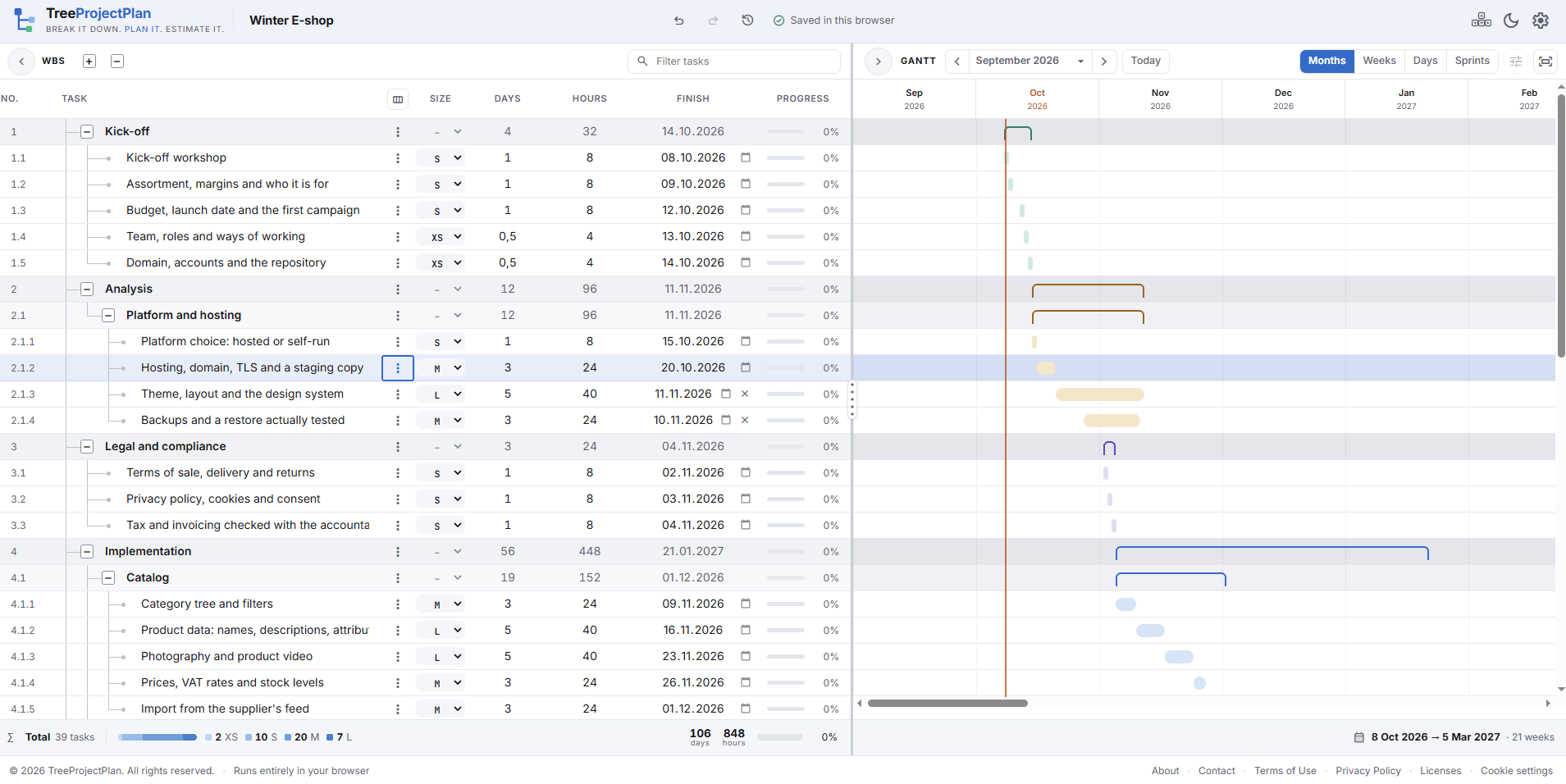
A tree where the indentation is the structure: outdent a row and its whole branch moves with it, and the WBS numbering renumbers itself. Size the leaves and every parent adds up its own work and its own dates, counted in working days, next to a Gantt chart drawn from the same rows - not a second document that has to be kept in step. It opens from a URL or straight from disk, works offline, and the project stays in your browser rather than on anybody's server.
It ranks first because it is the shortest path from nothing to a sized plan with a timeline: there is no install, no sign-up, and no setup step between opening the page and typing the first task.
2. ProjectLibre
Desktop application, free and open source. projectlibre.com
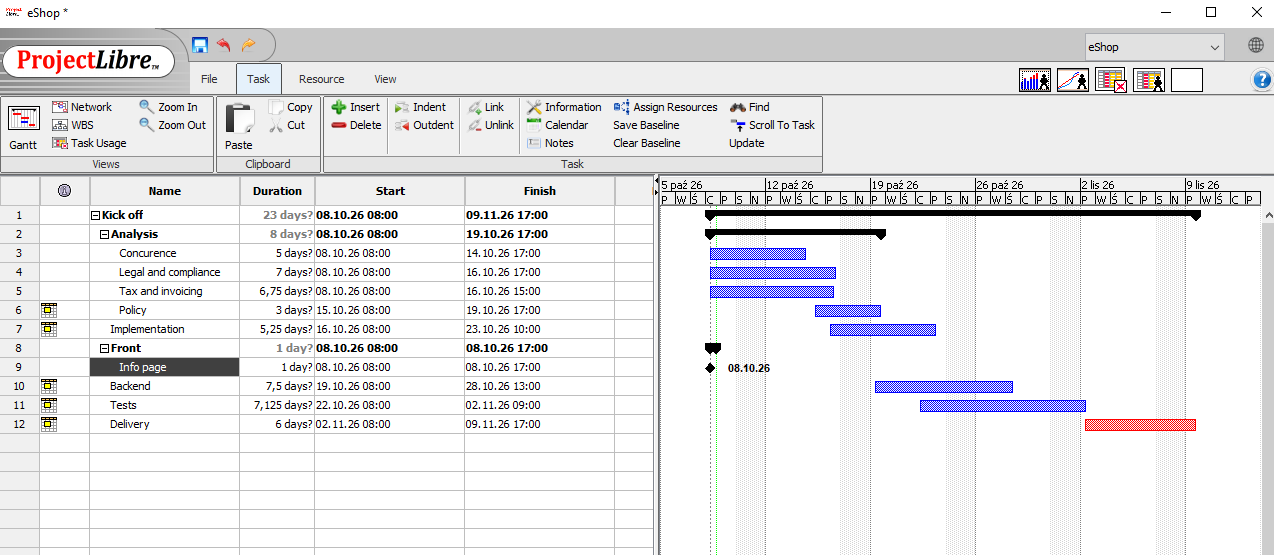
Deliberately shaped like Microsoft Project, down to reading and writing its files. If your organization already thinks in that model, or you have to hand a plan to somebody who has the real thing, this is the shortest path across that gap and it costs nothing to try.
An install with a Java runtime behind it, desktop only, and the Microsoft Project mental model arrives with it whether or not you wanted it - including the part where the plan is a document one person owns.
3. OpenProject Community Edition
Self-hosted web application, free and open source. openproject.org
The most complete free thing on this list. A work-package hierarchy that behaves like a breakdown, a Gantt view drawn from it, dependencies, permissions, history, and several people genuinely working in one plan at once rather than passing a file around.
Free describes the license, not the effort. Somebody has to host it, back it up and keep upgrading it, and that somebody is usually the person who only wanted to write down a breakdown. Budget a server and an afternoon before you budget nothing.
4. Redmine
Self-hosted web application, free and open source. redmine.org
Older than most of this list and still running half the engineering departments that tried it. Issues nest into subtasks, which gives you a tree, and a Gantt chart is built in rather than bolted on. If a Redmine already exists somewhere in your organization, the cheapest free tool on this page is the one you do not have to install.
It is an issue tracker that grew a plan, not a planner that grew a tracker, and it reads that way: the breakdown is a by-product of nesting tickets, estimating is per-issue, and making it feel like a WBS tool is a configuration project of its own.
5. A spreadsheet
Google Sheets or OpenOffice Calc. Free to use. google.com/sheets openoffice.org
Where most breakdowns actually start, and for a tree of twenty tasks it remains the right answer: nothing to choose, nothing to learn, and everybody you send it to can open it. It ranks in the middle rather than last because it is the only entry here that every single reader already has. Microsoft Excel does the same job and is not on this line for one reason: it is not free. Sheets runs in a browser and OpenOffice Calc is a free download, and both read and write the file formats Excel does.
Indentation in a spreadsheet is decoration. The sheet does not know that row 14 is a child of row 9, so every rollup, every working-day count and every bar of the chart is a formula you write and then maintain by hand. It holds up for twenty tasks and stops holding up somewhere around the fourth level of the tree - and it stops quietly, by being slightly wrong.
Which one to pick
You need a sized breakdown and a timeline today, for yourself. Number one, and we would say that - but the test is cheap enough to settle the argument: it opens in a browser, so you are five minutes from knowing.
You need dependencies, resources or baselines. ProjectLibre - it is free, it is an install, and it reads and writes Microsoft Project files, which is the thing you will need on the day somebody asks for the plan in that format.
Several people have to work in one plan. OpenProject Community Edition if nobody minds hosting it, Redmine if one already exists in the building. If neither is true, nothing on this page fits, and the honest answer is a hosted tool with a free tier - chosen knowing that the tier is a line somebody else can move.
The plan is small and throwaway. A spreadsheet. It was always the right answer for twenty tasks and no tool on this list beats it at that size.
Pick a planning tool when
- The question is "how long will this take?" and nobody has a number
- The breakdown goes three or more levels deep
- Parents must always agree with the sum of their children
- The schedule has to follow the estimate, not the other way round
- You will re-cut the structure several times before it settles
Pick a team tool instead when
- The work is already agreed and needs tracking, not sizing
- Status, assignment and comments matter more than arithmetic
- Several people change the same plan every day
- It has to sit next to the tickets developers already use
- Nobody will ever ask the total to justify itself
What is not on this list, and why
Microsoft Project is the tool most of these are measured against, and it is not here because it is not free - a trial ends. If you need resource leveling across a portfolio, cost tracking against a baseline and the reporting an organization standardizes on, that is the class of tool you are shopping for, and none of the five above replaces it. Saying so is cheaper than letting you find out in week three.
GanttProject was on this list and is not any more, which is worth saying out loud rather than quietly deleting: the desktop application is no longer something you can simply download and keep using for nothing, and a page about free tools should not send you to a checkout. If you were here for it, ProjectLibre covers the same ground - summary tasks, dependencies, resources, Microsoft Project files - and is still free and open source.
ClickUp and Jira are gone for two reasons, and the first is the one in the callout above: what is free in them is a tier. Jira costs nothing for up to ten users and costs money for the eleventh, which is a line Atlassian drew and can move again, so it is not free in the sense this page means. The second reason matters more here: neither has a breakdown that adds itself up. Both are excellent at tracking work that is already agreed, and both will draw a timeline from a flat list of tasks, but there is no parent to roll an estimate into - so sizing a plan in either means doing the arithmetic yourself, in a tool that is not helping.
Smartsheet, Monday, Wrike, Asana and the rest of that shelf are absent for the same reason. Several have free tiers, every one of those tiers exists to end, and a plan you cannot take with you is not free in the sense this page means.
Mind-mapping tools - XMind, MindMup and their relatives - draw a beautiful breakdown and stop there. A WBS that cannot be sized is a diagram, and this page is about getting from the diagram to a date.
Bryntum is the best work on this subject that money can buy, and money is exactly what it costs. It is not an application you open. It is a commercial JavaScript component a developer builds into a product, licensed per developer, and the Gantt it draws is better than anything on the list above. If you are building a tool rather than planning a project, that is the shelf to look at. If you are planning a project, it is not for you at any price.
Frequently asked questions
What is the best free WBS tool?
There is no single answer, because the six things people mean by "WBS tool" need different machines. If you want a sized breakdown and a timeline in a browser with nothing to install, that is what TreeProjectPlan is for, and we make it. If you need dependencies, resources and baselines on one computer, ProjectLibre is free and open source. If a team has to work in one plan at once, OpenProject Community Edition and Redmine are free to license but have to be hosted. If the plan is twenty tasks and throwaway, a spreadsheet is genuinely the right answer and always was.
Is there a free alternative to Microsoft Project?
For the scheduling core of it, yes: ProjectLibre is deliberately shaped like Microsoft Project and reads its files. It is free and open source and it runs on your own machine. What no free tool replaces is the rest of Microsoft Project - resource leveling across a portfolio, cost tracking against a baseline, and the reporting an organization standardizes on. If you need those, you are shopping for a license, and it is better to know that at the start than three weeks in.
Which free tools draw a Gantt chart from a work breakdown structure?
TreeProjectPlan, ProjectLibre, OpenProject Community Edition and Redmine all draw the chart from the same hierarchy you typed, so the bars move when the tree does. A team tracker - ClickUp, Jira, or a hosted tool with a free tier - draws a timeline from a flat list of tasks instead, which looks similar and behaves differently: nothing rolls up, because there is no parent to roll up into. In a spreadsheet the chart is something you draw yourself and then keep redrawing.
How was this ranking put together, and can it be trusted?
We publish it and we are first on it, which is a reason to read it skeptically rather than a reason to ignore it. Two things are done to make it useful anyway: every entry below ours carries a plainly labeled catch rather than a sales line, and the rule behind the order is spelled out rather than left to be inferred. The ranking is by how directly a tool takes you from a breakdown to a schedule at no cost, so a tool that does that in one step outranks one that does it in five. That rule is arguable. It is at least visible, which is more than a list with no stated rule offers.
Try the one at number one
TreeProjectPlan is a free WBS editor that runs in your browser. Type the tree, size the leaves, give them start dates - and watch every parent and the whole Gantt chart compute themselves. No install, and an account only if you want one.